Turning my Analog todo card into a searchable daily log
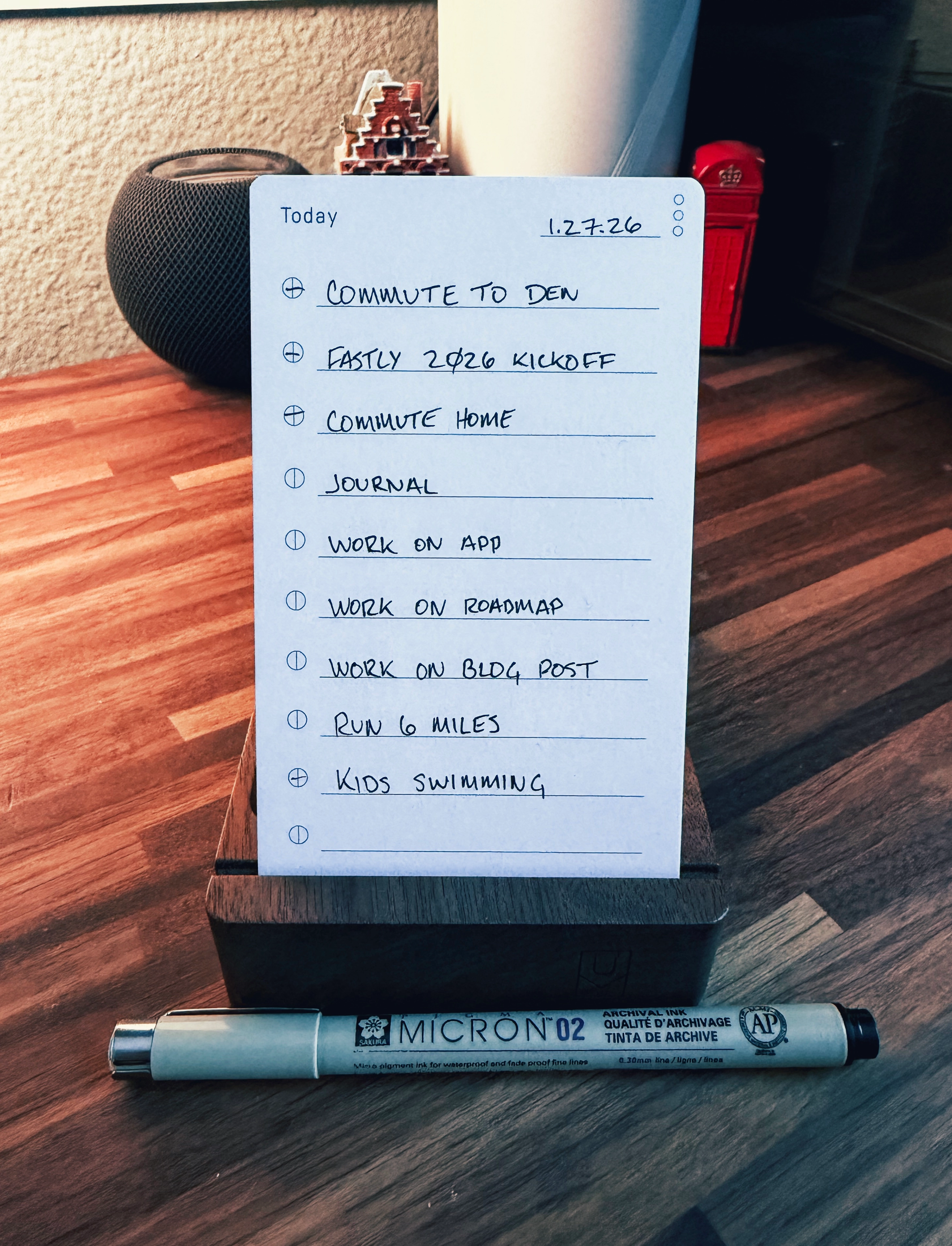
I only use one todo system during the day: Analog from Ugmonk.
Every morning, I write my meetings and todos by hand. No apps, no syncing, no reprioritizing. I leave a line or two open at the bottom because the day always changes.
That card is the system.
But paper has one real limitation: it disappears when the day is over.
I wanted a digital version of each day that I could:
- search later
- move into a different system if I ever need to
- pull up in the evening when I’m away from my desk
Not a second todo list. Not a planner. Just a faithful record of what actually happened.
The gap between analog and digital
I like planning on paper because it keeps me focused.
I like reviewing days digitally because it keeps them accessible.
The friction is in the handoff. If I have to retype my day, it doesn’t happen. If I have to decide what “counts,” I procrastinate. And if I miss a day, the habit dies.
So instead of changing how I plan, I automated the translation.
The flow
At a high level:
- I write my day on an Analog card in the morning
- At the end of the day, I get a reminder to run a Shortcut
- The Shortcut takes a photo of the card
- The photo is sent to ChatGPT
- ChatGPT turns it into a clean, Bear-ready daily log
- Bear saves it with a date-based title
The card stays analog. The record becomes digital.
What the Shortcut actually does
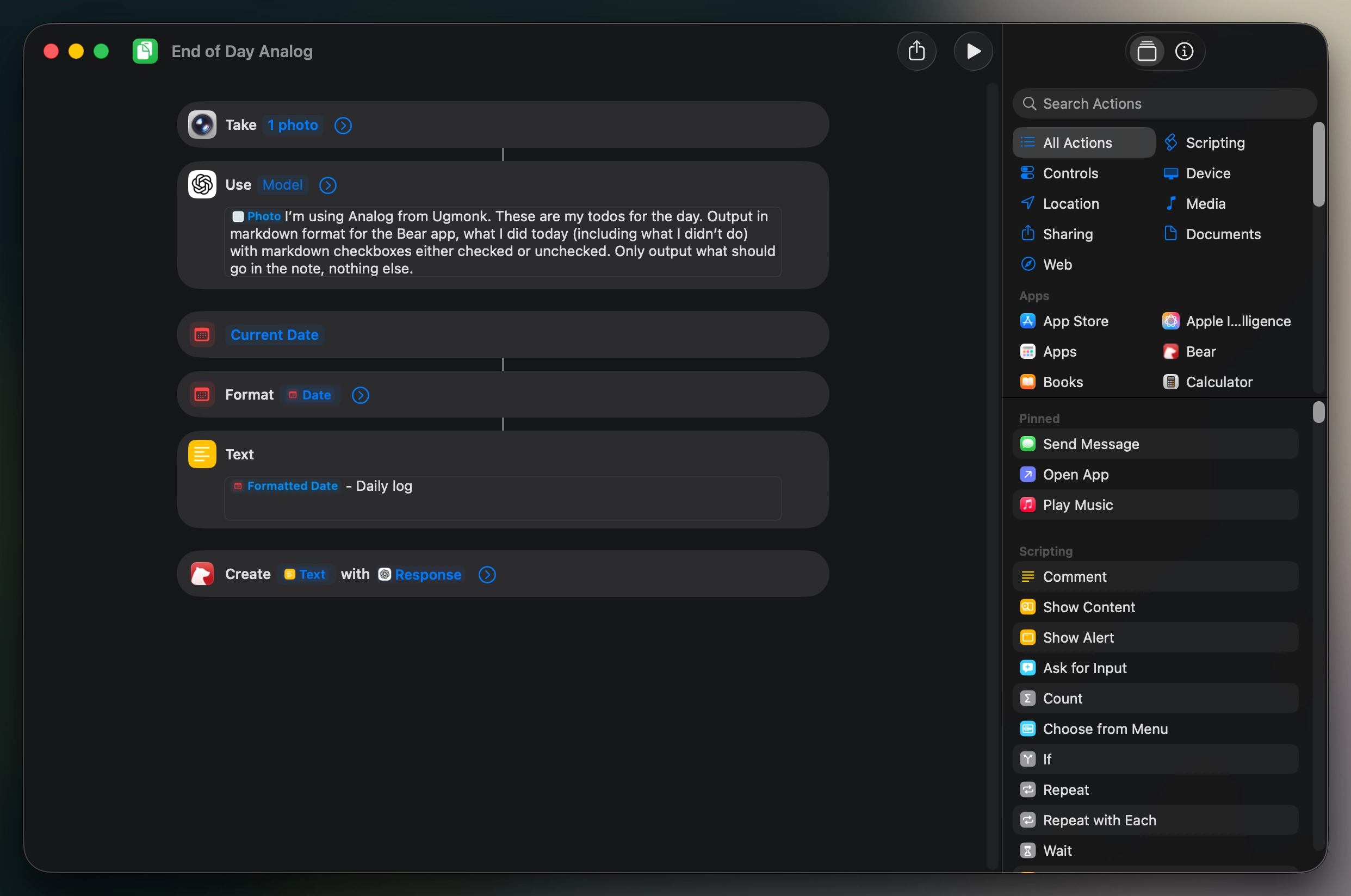
When I run the Shortcut, it immediately opens the camera. No browsing photos, no picking files.
That photo is explicitly passed to ChatGPT with a very constrained prompt:
- interpret the handwritten todos and meetings
- infer what was completed and what wasn’t
- output only markdown
- use checkboxes
- no explanation text
The result is something I can drop straight into Bear without editing.
The Shortcut then formats the date and creates a new Bear note with that content as the body.
Why this works for me
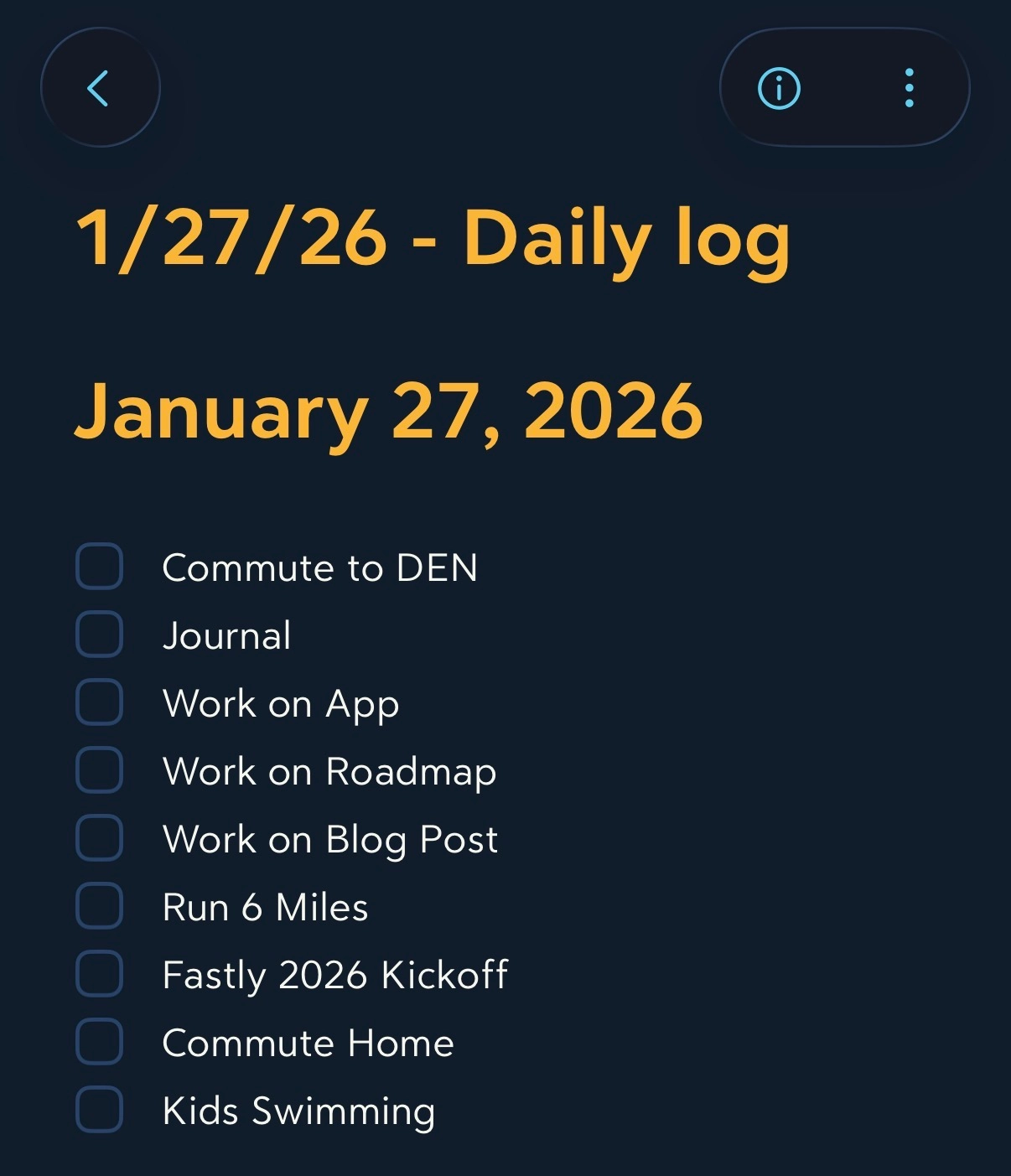
This setup stuck because it respects how I already work.
Analog remains the source of truth
I never manage two systems during the day.Everything becomes searchable
Meetings, runs, side projects, random days — all queryable later.It’s portable by default
Markdown means I’m not locked into Bear. I can move this anywhere.I can review my day anywhere
Even if I’m not at my desk, the record is there.
Most importantly, it removes the emotional weight of "keeping a log." One photo, one button, done.
The takeaway
This isn’t about replacing paper with software.
It’s about letting paper do what it’s good at, and letting software do what it’s good at.
I plan my days in ink.
I archive them in text.
The Shortcut just connects the two.